Landing page guidelines
A landing page is where the user lands after clicking your product on Google. When the page doesn't match the ad or free listing, travelers leave without buying. To keep showing up in ads and free listings, every landing page you submit to the feed must meet these minimum requirements.
Source: Google Actions Center — Landing page guidelines
The landing page deeplink (required for Things to Do Search)
Provided via the landing_page field. This is the page that shows all key elements of your product or product option:
- Product title
- Attributes
- Description
- Price and currency
- A button to start the checkout flow
Title, attributes, description, and images don't need to be identical to the feed, but they must refer to the same product. Each product or option in the feed must be the single most prominent product on its linked page — category and list pages are not allowed as a product page.
The landing page list view (optional)
Optionally provide a landing_page_list_view for a product or option. It must meet these rules:
- The product is larger than other products and in the highest position on the page.
- The product is highlighted — either in size or with a differentiating color.
- The product is pinned to the right or left side, distinct from other products.
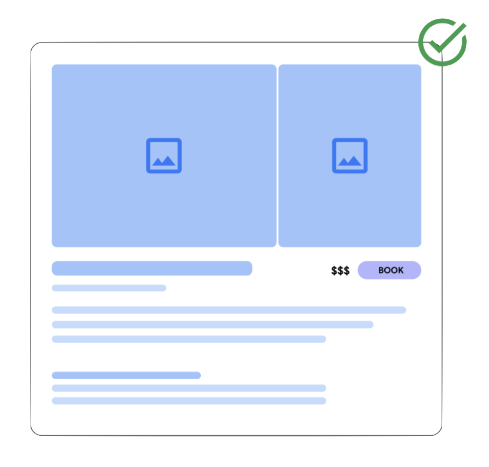
Example: a clean product landing page with images, title, price, and a clear booking button — key elements stay visible above the fold.
Favicons
Google may use the favicon from your landing page in its user interface. To make sure the correct favicon is used, make sure your deeplinks are indexed by Google — the URL Inspection tool confirms indexing status.
When landing_page vs landing_page_list_view is used
Which page shows in the Google listing depends on the surface. For upper-funnel queries and paid listings the list view page takes precedence; for all other experiences the product page is used.
Need help meeting these rules?
We audit your landing pages and set up your GTTD feed so travelers book direct instead of bouncing to an OTA.