What is a Google Connectivity Partner for Things to Do?
May 20, 2026
Google recommends small tour operators use approved connectivity partners for GTTD. Here is what they do, why it matters, and how to choose one.
What is a Google Connectivity Partner for Things to Do?
If you run tours, attractions, or activities and want to appear on Google Things to Do, one decision shapes your entire launch: connect directly to Google or work through an approved connectivity partner. For almost every operator under 100 properties, the answer is the partner route — and Google itself recommends it.
Here's what a connectivity partner actually is, why Google pushes small operators toward them, and how to pick one.
What is a Google connectivity partner?
A Google connectivity partner is a technology provider — usually a booking system, reservation platform, or channel manager — that has been approved by Google to send live inventory, pricing, and availability into Google Things to Do (GTTD) on your behalf.
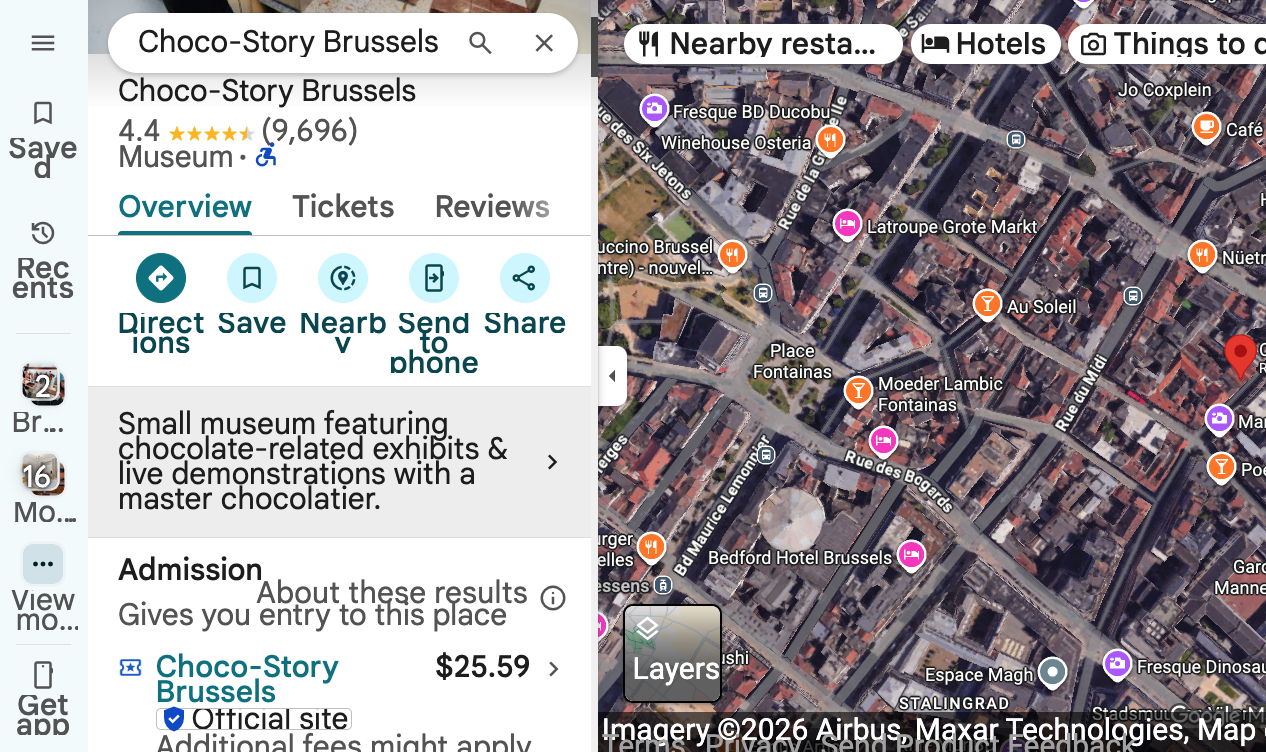
Instead of you building and maintaining a direct feed to Google's API, the partner handles the integration. Your tours show up on Google Search, Maps, and the Things to Do panel with the Official Site badge, and bookings flow back into the system you already use to run your business.
Approved partners pass Google's technical and operational requirements: real-time availability, accurate pricing, reliable confirmations, refund handling, and ongoing support for the GTTD spec as it evolves.
Why Google recommends connectivity partners for small operators
Google is explicit on this: if you're an individual attraction, tour operator, activity provider, or a reservation system representing fewer than 100 operators, you should work with a connectivity provider rather than integrate directly.
The reasoning is practical:
- Direct integration is heavy. It requires engineering resources to build, monitor, and update as the GTTD spec changes.
- Approval bars are higher for direct connections. Google vets each direct integrator carefully because errors at the feed level affect traveler trust.
- Partners absorb the maintenance burden. Schema updates, new GTTD features, bug fixes — the partner ships them once for every operator on their platform.
- Faster time to live. A partner integration can go live in days. A direct build typically takes months.
For a 3-guide walking tour company or a single-location museum, the math is obvious. You're not in the API business — you're in the experiences business.
What a connectivity partner actually does
Once you're connected through an approved partner, the partner handles:
- Inventory sync — your tours, departure times, capacity, and pricing flow to Google in real time.
- Booking ingestion — when a traveler books through your Google listing, the reservation lands in your existing system with the customer's details.
- Cancellations and modifications — these stay in sync both ways so you never oversell.
- Feed health — the partner monitors the integration and resolves errors before they affect your listings.
- GTTD updates — as Google adds new fields, badges, or ad formats, the partner rolls them out across their operator base.
You keep ownership of the customer and the booking. The partner is the pipe, not the merchant.
How a partner fits with GTTD Ads
The connectivity feed is the foundation. Once your inventory is live on Google Things to Do, you can run Google Things to Do Ads — CPC-based ads that show your tour directly in the Things to Do panel and on Google Maps, sending travelers to your own booking page. The feed makes you eligible; the ads make you visible above OTAs like Viator and GetYourGuide.
If you're not sure how the pieces fit together, our walkthrough on how Google Things to Do works covers the full flow from feed to booking.
How to choose a connectivity partner
Not every booking system is an approved GTTD partner, and partners vary in how aggressively they support direct bookings versus OTA distribution. Things to evaluate:
- Is the partner on Google's approved list? Ask directly and ask for a live example.
- Does the partner support the Official Site badge? This is the trust signal that lifts conversion on your listing.
- Do they support GTTD CPC ads? Some partners pass through the feed but don't enable ad-level optimization.
- What's the fee structure? Some charge a flat monthly platform fee; others take a percentage of direct GTTD bookings.
- Do they handle multi-language and multi-currency? Important if you sell to international travelers.
If you're comparing pricing across the stack, our GTTD Ads pricing page lays out what the ads layer costs once your feed is live.
Linking your Actions Center to Google Ads
Once your connectivity partner has your inventory live, the next step is linking your Google Actions Center account to Google Ads so you can run GTTD Ads against your feed. The Actions Center is where Google manages your Things to Do account and ad billing.
We cover the linking flow step-by-step in our course — check the Google Things to Do FAQ index for the current setup walkthrough and common issues operators hit during connection.
Should you ever skip the partner and go direct?
A few scenarios where direct integration makes sense:
- You're a reservation system or channel manager representing 100+ operators.
- You have in-house engineering and want full control of the feed.
- You're building proprietary features on top of GTTD that no partner supports.
For everyone else — independent operators, small attractions, regional tour companies — the partner route is faster, cheaper, and what Google recommends.
The bottom line
A Google connectivity partner is the bridge between your booking system and Google Things to Do. For operators with fewer than 100 properties, Google's recommendation is clear: don't try to build the bridge yourself. Pick an approved partner, get your inventory live, then layer GTTD Ads on top to capture demand that would otherwise go to OTAs.
For more playbooks on direct bookings, conversion, and reducing OTA commissions, browse our tourism marketing blog.
What operators most often get wrong about this
Three misunderstandings come up in nearly every conversation.
"I can just upload my tours to Google myself." Partly. Google's Tickets and Activities editor inside your Business Profile lets you add a small number of activities by hand. It works, and it is a reasonable way to get live quickly. What it does not give you is automatic availability and pricing sync, or the full set of Things to Do features. Once a partner feed goes live, it simply replaces the manually added listings.
"The partner takes a commission on my bookings." Not necessarily, and this is worth asking about explicitly. Some partners take a percentage of bookings that come through Google. Others charge a flat fee and take nothing from the transaction, because the traveller checks out on your site and the money never touches the partner. We are the second kind — $25 a month, no commission, free to sign up.
"It's a marketplace, so I'll be competing with other operators on the same page." A connectivity partner is a pipe, not a shopfront. Your listing points at your booking page under your brand.
The partner's job, in the order it happens
- Eligibility check. Your business type has to qualify. Tours, attractions, tastings, classes, and recreational rentals are in. Airport transfers, movie tickets, one-off concerts, overnight stays, and virtual-only experiences are not.
- Feed build. Your products, descriptions, images, prices, and availability are mapped to Google's spec.
- Compliance pass. Titles cleaned to match the title guidelines, images checked against the image guidelines, landing pages checked against the landing page criteria.
- Submission and review. Google reviews the feed and the destination pages.
- Ongoing sync and monitoring. Prices, availability, and new products flow automatically; feed errors get caught before they take your listings down.
Pricing compliance is the part that bites
More listings get pulled for pricing than for anything else, so it is worth stating the rules plainly:
- The price shown must be the total an adult pays, including all fees and taxes. If your checkout adds a booking fee, it belongs in the price.
- It must be a standard adult ticket available to everyone. There is no child pricing on Things to Do.
- Any currency is fine — Google converts for the traveller.
- Variable pricing by season, day, or time slot means you show one representative price.
- Minimum group sizes mean you show what one person pays to book.
- Google checks the price against your website. A mismatch takes the listing down until it is corrected and resubmitted through your partner.
Questions to ask before you sign anything
- Are you an approved connectivity partner, and can I see a live listing you produced?
- Do you support the Official Site badge?
- Do you charge a commission on bookings, or a flat fee?
- Can you support Things to Do Ads once my feed is live?
- Who fixes it when a listing gets rejected?
- Do you handle multiple languages and currencies?
That last set separates partners who submit a feed from partners who look after your listings.
Where to go next
If you are working through this in order, the free Get Found Online course covers the whole sequence, and lesson four is the one on distribution. Our post on why Google Things to Do matters for operators covers what actually changes commercially once you are live, and where to list your tours puts the channel in context against the OTAs.
If you are weighing a full distribution platform against a lean feed, read our take on the Magpie alternative route, and our overview of the Google Things to Do class for operators if you would rather work through it yourself.
Want this kind of strategy applied to your tours?
Setup gets your Official Site badge live on Google Things to Do. Organic Official Site listing always included.
Related GTTD Ads questions
- How is GTTD CPC different from regular Google Ads?
- What does "Organic Official Site listing included" mean?
- How long until my Official Site badge is live on Google?
- How much does GTTD CPC actually cost per click?